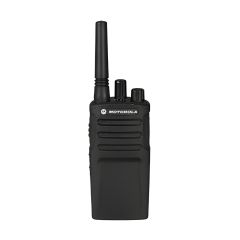
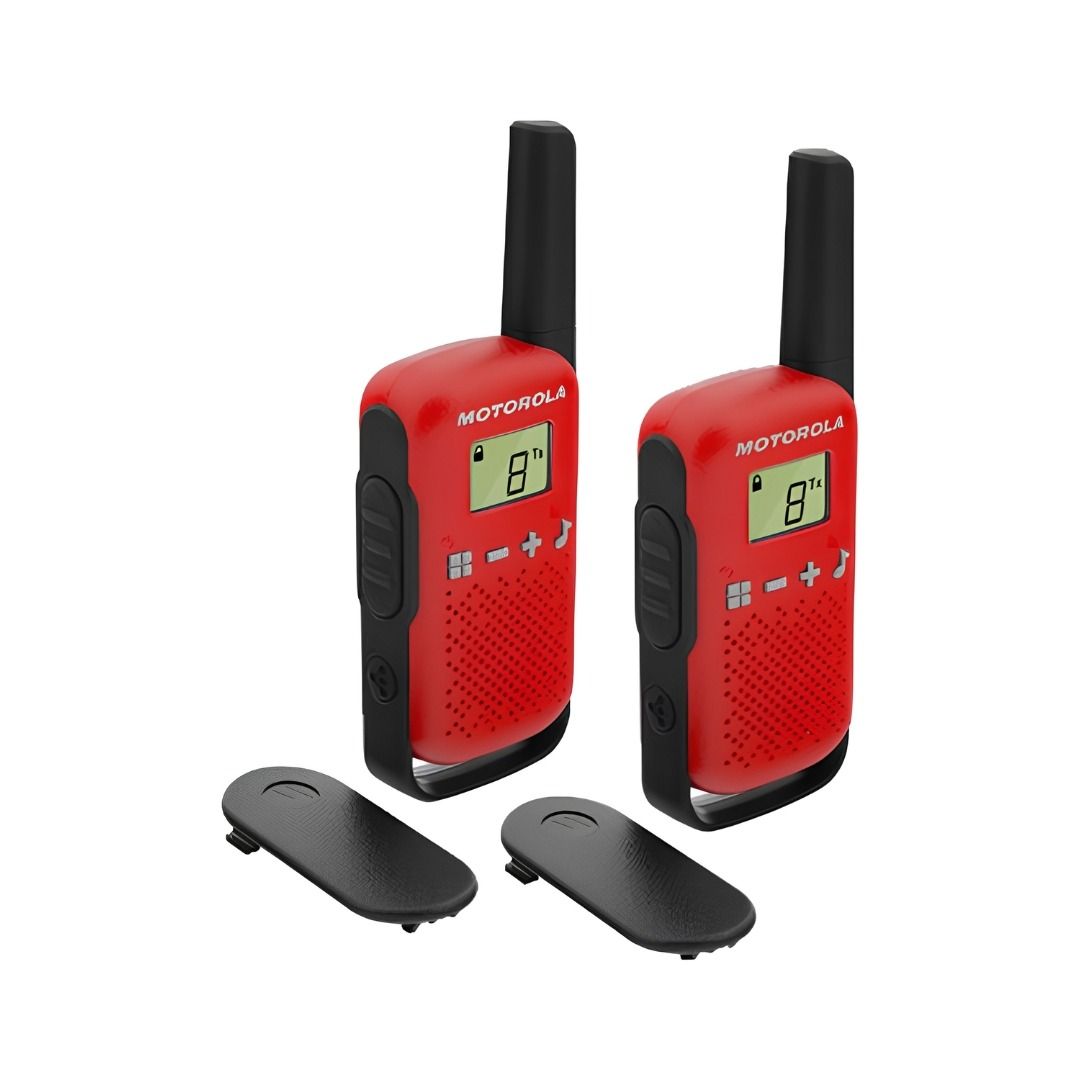
A twin pack of Motorola T42 PMR446 licence-free walkie-talkies for site coordination, events management, and outdoor team communication.
- PMR446, licence-free in the UK, no registration required
- 16 channels, up to 4km range (subject to terrain)
- Easy pairing for quick group setup
- 12.5kHz bandwidth
- Low battery warning indicator
- 3 x AAA batteries per radio (not included)
- Dimensions: 4.8 x 13.6 x 2.7cm
- Includes 2 belt clips and personalisation stickers
PRODUCT NAME Motorola T42 PMR446 Walkie Talkie - Twin Pack
A twin pack of Motorola T42 PMR446 licence-free walkie-talkies for site coordination, events management, and outdoor team communication.
- PMR446, licence-free in the UK, no registration required
- 16 channels, up to 4km range (subject to terrain)
- Easy pairing for quick group setup
- 12.5kHz bandwidth
- Low battery warning indicator
- 3 x AAA batteries per radio (not included)
- Dimensions: 4.8 x 13.6 x 2.7cm
- Includes 2 belt clips and personalisation stickers
- Buy 5 for £89.17 £74.31 each and save 7%
- Buy 10 for £80.60 £67.17 each and save 16%
| BULK DISCOUNT | 5 | 10 |
|---|---|---|
| Price | £74.31 £89.17 | £67.17 £80.60 |
Order 1x to earn 80 FASTPoints
Order to earn 80 FASTPoints
Log in to access trade discountsMotorola T42 PMR446 Walkie Talkie
A twin pack of Motorola T42 walkie-talkies for site teams, events crews, and outdoor groups. Both radios are ready to use straight out of the box on any of 16 channels across the 446 MHz licence-free band. No licence application, no registration, no airtime fees. The easy pairing function lets you sync additional radios to the group quickly. Up to 4km range in open terrain. Each radio runs on three standard AAA batteries.
Why PMR446 is the right choice for site and professional use
Most site and professional radio requirements in the UK fall within what PMR446 covers. The 446 MHz band is allocated by Ofcom specifically for licence-free short-range communication. No paperwork. No ongoing cost. Every PMR446 radio from any manufacturer can communicate with these on the same channel. For coordinating a site team, managing an event, or keeping a field crew in contact, PMR446 removes the administrative overhead of licensed radio while providing reliable short-range voice communication.
Key Features
-
PMR446 licence-free: Operates on the UK's designated licence-free radio band. No Ofcom licence required. Legal to use immediately on purchase anywhere in the UK.
-
Easy pairing: One button synchronises channel settings across multiple radios in the group. No need to manually programme each radio separately.
-
16 channels: Separates your team's communications from other PMR446 users in the area. Switch channels instantly if interference is detected on the current one.
-
Up to 4km range: Performance depends on terrain and obstructions. Open fields give the best range. Built-up areas and buildings reduce it significantly.
-
Channel scan: The radio scans all 16 channels automatically and stops on any active channel. Useful for monitoring whether other teams are in range.
-
Monitor mode: Opens the squelch on the current channel to detect weak signals, useful when you suspect a radio is transmitting but the signal is too weak to break through automatically.
-
Keypad lock: Prevents accidental channel or setting changes during use.
-
Low battery warning: Alerts the user before battery power drops too low to maintain a reliable connection.
-
Belt clips included: Both radios come with belt clips for hands-free carry during active use.
Who is this for
Trades and roles:
-
Site managers coordinating teams on construction sites
-
Events managers and stewards
-
Warehouse supervisors and logistics coordinators
-
Security operatives on commercial sites
-
Outdoor activity leaders
Industries:
-
Construction and civil engineering
-
Events and hospitality
-
Warehousing and logistics
-
Facilities management
-
Leisure and outdoor activities
Specifications
| Specification | Detail |
| Product Name | Motorola T42 PMR446 Walkie Talkie - Twin Pack |
| SKU | MR61583 |
| Standard | PMR446 (licence-free in the UK) |
| Channels | 16 |
| Frequency | 446 MHz |
| Bandwidth | 12.5kHz |
| Range | Up to 4km |
| Battery | 3 x AAA per radio (not included) |
| Features | Easy pairing, PTT, call tones, keypad lock, channel scan, monitor mode, Roger tone, low battery warning |
| Dimensions (each) | 4.8 x 13.6 x 2.7cm |
| Colour | Red |
Compatibility
| Application or condition | Status |
| Site and warehouse team coordination | ✓ Suitable |
| Events management and steward communication | ✓ Suitable |
| Outdoor activities: camping, hiking, field events | ✓ Suitable |
| Communication with other PMR446 radios on same channel | ✓ Suitable |
| UK use without licence | ✓ Suitable |
| Up to 4km range in open terrain | ✓ Suitable |
| Long-range communication beyond 4km | ✗ Not suitable |
| Use outside PMR446 frequency or with licensed bands | ✗ Not suitable |
| Use where Ofcom licensed radio is required | ✗ Not applicable |
Who is this for
The Motorola T42 twin pack is for site managers, events coordinators, warehouse supervisors, and outdoor team leaders who need reliable short-range voice communication without the cost or complexity of licensed radio. Two radios in the box means both sides of a communication are covered from a single purchase. The PMR446 licence-free status means the radios can be deployed immediately without any regulatory process.
Typical applications
-
Site manager to team leader communication across a construction site where mobile signal is unreliable or where hands-free operation is needed.
-
Events steward coordination across a festival, exhibition, or sporting event where teams need to stay in contact across large outdoor areas.
-
Warehouse supervisor to picker coordination in large storage facilities where voice communication is faster than messaging.
-
Security team coordination on commercial or construction sites requiring coverage across a defined perimeter.
-
Outdoor activity leaders keeping groups in contact during hiking, camping, or field-based training.
-
Parent-to-child communication in large outdoor spaces where mobile signal is absent.
How to use
Step 1: Insert three AAA batteries into each radio. Open the battery compartment by pressing the tab at the base and lifting the cover.
Step 2: Press and hold the Menu/Power button to turn the radio on.
Step 3: Set both radios to the same channel. Press Menu until the channel number flashes, then use the volume buttons to select the channel. Press PTT to confirm.
Step 4: To transmit, hold the PTT button and speak clearly, holding the radio 2 to 3 cm from your mouth. Release PTT to receive.
Step 5: To add more radios to the group using Easy Pairing, see the pairing section below.
Step 6: To lock the keypad, press and hold the Key Lock button until the lock icon appears on the display.
Easy Pairing
Step 1: On the leader radio, set the channel you want the group to use.
Step 2: On each member radio, press and hold the Easy Pairing button until you hear a beep. The display confirms the radio is waiting to receive settings.
Step 3: On the leader radio, press and hold the Easy Pairing button until you hear a double beep. Settings are transmitted to all member radios simultaneously.
Common mistakes
-
Expecting urban range to match the stated maximum: 4km is achievable in open flat terrain. In built-up areas, realistic range is typically 300 to 500 metres. Plan accordingly.
-
Using different channels on different radios: all radios in the group must be on the same channel to communicate. Confirm the channel on each radio before use.
-
Attempting to use sub-codes with the T42: the T42 has no sub-code feature. If pairing with radios that have sub-code enabled, the other radios must have their sub-code set to zero.
-
Not locking the keypad during active use: accidental channel changes are the most common cause of communication failure on site. Lock the keypad once the channel is set.
Safety
PMR446 radios must only be used within the allocated 446 MHz frequency band. Do not attempt to modify the radio or transmit outside the PMR446 band. These radios are not waterproof, keep away from rain, standing water, and damp environments. Do not use in areas where radio communication is restricted.
Maintenance
Wipe the radio body with a dry cloth after use in dusty or dirty environments. Remove batteries if the radio will not be used for an extended period. Store in a dry location. Do not expose to water or moisture.
Frequently Asked Questions
Q: Do I need a licence to use these walkie-talkies in the UK?
A: No. These radios operate on the PMR446 band, which Ofcom has designated as licence-free for short-range radio communication in the UK. You can buy, own, and use them immediately without any registration or licence application. The only requirement is that you do not attempt to modify the radio or use it outside the PMR446 frequency band.
Q: What is PMR446 and what range should I realistically expect?
A: PMR446 (Private Mobile Radio 446 MHz) is the UK's designated licence-free radio band. All PMR446 radios operate within strict power and frequency limits set by Ofcom, which means no PMR446 radio from any manufacturer can legally exceed the same maximum transmission power. The stated 4km range applies to open, flat terrain with no obstructions. In built-up areas, woodland, or inside buildings, the realistic range is much shorter, typically 300 to 500 metres. Range is a function of the environment, not the radio.
Q: Can I use these radios with other PMR446 walkie-talkies?
A: Yes. Any PMR446 radio set to the same channel will communicate with these. The T42 has no sub-code feature, so if you are pairing with radios that have sub-code enabled, those radios must have their sub-code set to zero. When sub-code is set to zero, all transmissions on the selected channel are heard regardless of which radio is transmitting.
Q: What batteries do they take and how long do they last?
A: Each radio requires three AAA alkaline batteries. Battery life is up to 18 hours. The low battery warning indicator alerts you before power drops too low to maintain a reliable connection. Standard alkaline batteries can be replaced anywhere, which is useful on site where charging infrastructure may not be available.
Q: How does Easy Pairing work?
A: Easy Pairing allows one leader radio to transmit its channel settings to all other radios in the group simultaneously. On the member radios, press and hold the Easy Pairing button until you hear a beep. On the leader radio, press and hold the Easy Pairing button until you hear a double beep. All member radios in range receive the channel settings and are ready to communicate immediately.
Q: What does channel scan do?
A: Channel scan sets the radio to cycle through all 16 channels automatically, stopping for two seconds on any channel where activity is detected. If you want to transmit on that channel, press PTT. When activity on that channel stops, scanning resumes. It is useful for finding which channel other users in your area are on.